Dongle Money

A ledger you write by hand, with no bank link

Dongle Money does not connect to a bank or a card company. You write down what you spend, and look back on exactly what you wrote.

No sign-up and no sign-in. Your records are stored only on your phone.

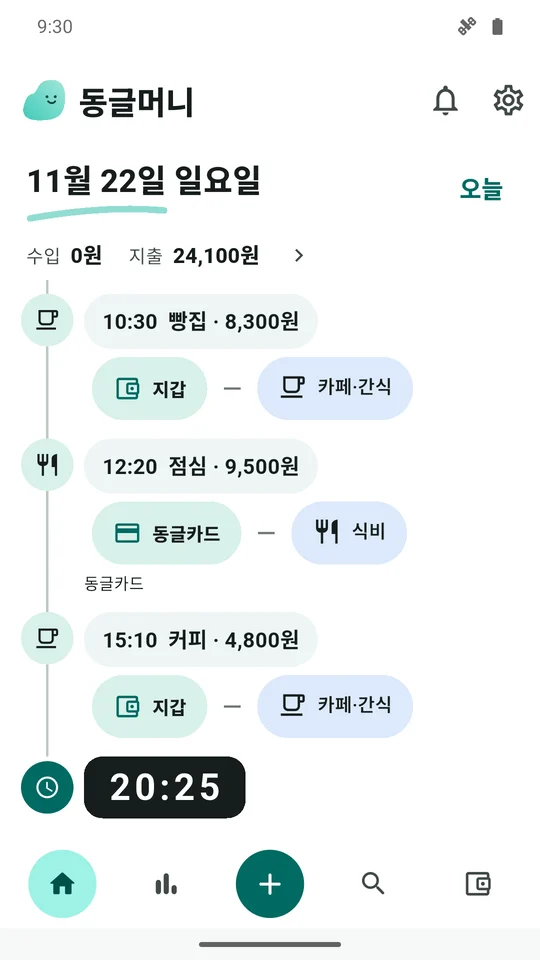
The Dongle Money home screen, with today's records for a bakery, lunch and coffee in time order.

Quick entry

  • Tap +
  • Amount, account, category
  • Tap +, choose expense, income or transfer, then pick the amount, account and category.
  • Card spending adds to what you owe on the card; paying the bill takes it from your account.
  • Loan repayments, refunds and expenses split across categories are covered too.
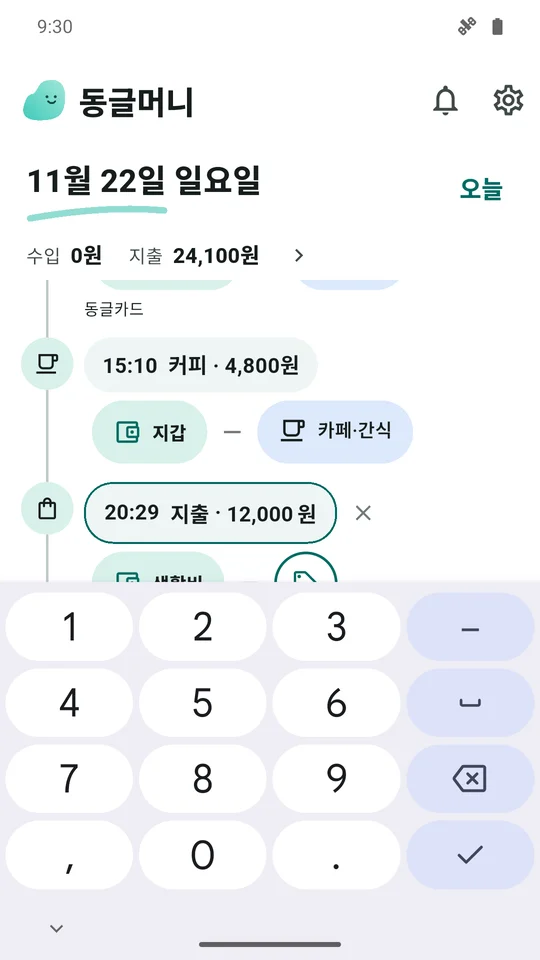
The quick entry screen: enter an amount, then pick an account and a category.

Look back at a glance

  • This month's records
  • Statistics and trends
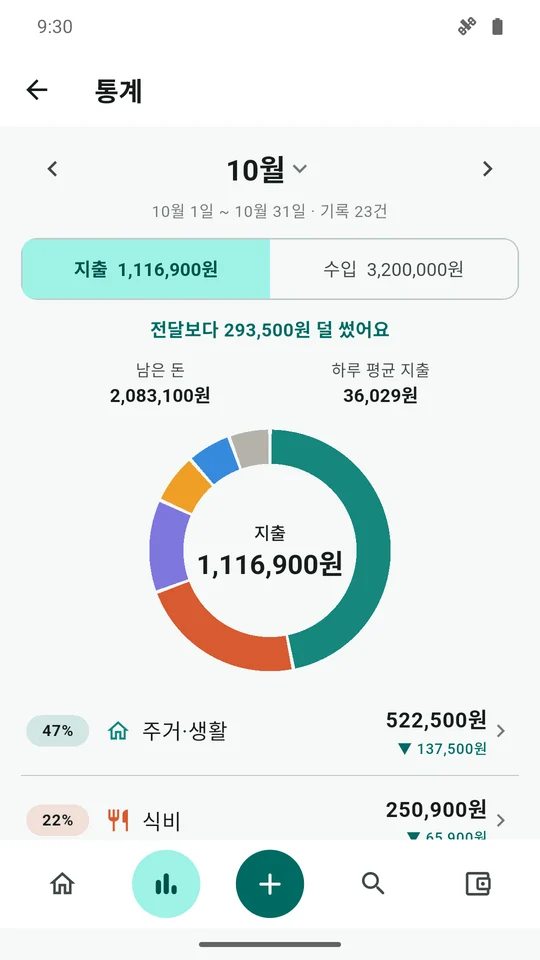
  • This month's spending and income, what is left, and the daily average.
  • Shares by category, and how each moved against last month.
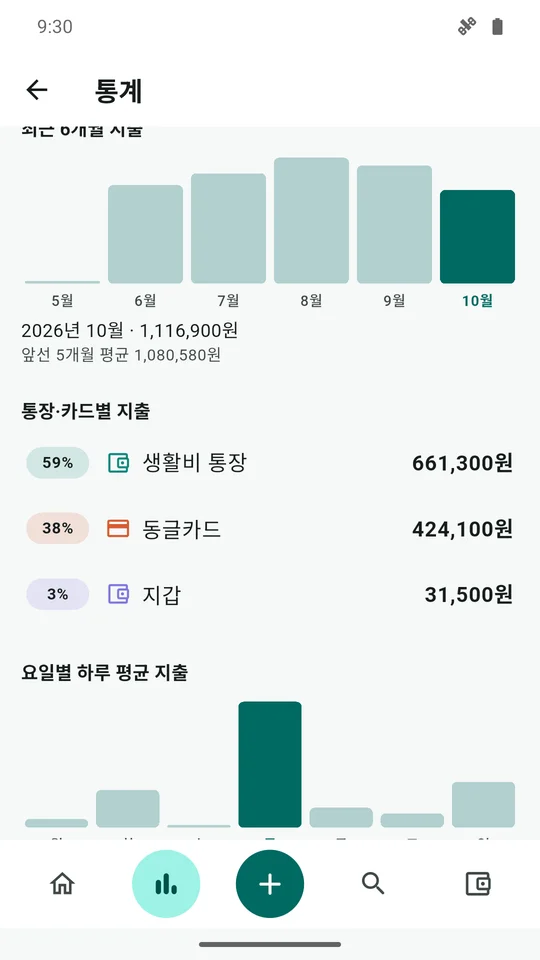
  • Bars for each day and a trend over the last six months.
  • Spending by account and card, weekday averages, largest expenses and net worth over time.
The statistics screen: this month's spending and income with a ring of category shares.
The statistics screen: a six-month trend and spending by account and card.

Assets and debts

  • Accounts, cards, loans
  • Balances and net worth
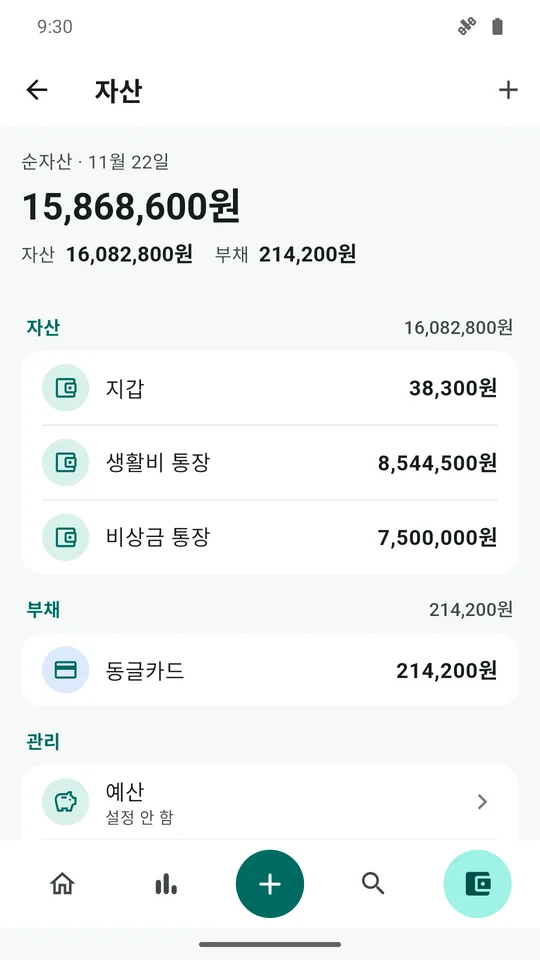
  • Balances and subtotals for accounts, cash, cards and loans on one screen.
  • Asset groups, card payment days and loan repayment days.
  • Balance matching: when the real balance differs, the gap is kept as a record.
The assets screen: balances and subtotals for accounts, cash and cards.

Also

  • Record search by title, note, category and account.
  • A budget and a daily reminder.
  • Several currencies, with optional automatic rates.
  • Backup file export and import.
  • App lock (biometrics or device passcode) and an optional screen cover.
  • Korean and English, light and dark.

Good to know

  • It does not fetch bank or card transactions. You write the records yourself.
  • Records exist only on this device. Export a backup file before changing phones or removing the app.
  • Backup files are not encrypted. Keep them somewhere safe.
  • No ads.

Getting ready for release

  • The Android release comes first and is being prepared. The app is not in a store yet.
  • It runs on Android 16 and later.
  • Questions are welcome at zeta4app@gmail.com.